Loading…
My profile
Your TikGameX account details.
Connections
Link your Roblox ID and TikTok username: they'll be used to make the game react to your live's donations.
Change password
Enter your current password, then the new password twice.
Danger zone
Permanent and irreversible: your account, subscription, and history will be deleted. This cannot be undone.
Confirm your password to permanently delete your account.
Payments
Your current plan and payment history.
Current plan
—No real payment recorded on this account.
Payment history
No transactions available.
| Date | Plan | Type | Amount | Status | Transaction ID |
|---|
Games
The games library available with your subscription.
Minecraft
TntCube
A cube that fills up with blocks, gift by gift.
Roblox
Vertical Parkour
Climb the zigzag tower: TikTok gifts help you climb or knock you down.
Minecraft
Configure how TikTok gifts translate into TntCube actions.
Plugin connection
Install TikGameXBridge.jar on your Minecraft server and paste this token into its config.yml.
—
Load TikTok Gifts
Load your live's gift catalog to pick gifts from a list instead of typing them in. Just requires being live on TikTok right now (no need to have pressed "Start Session" here first).
Tutorial & Download
Read the step-by-step guide and download the ready-to-use server pack for your streams.
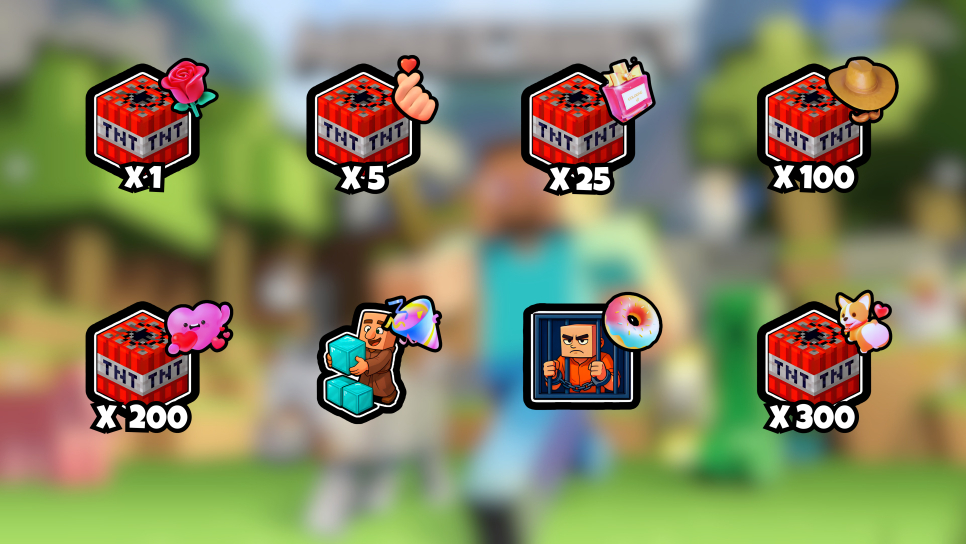

Gift → action slots (max 20)
Additional events
Likes, follows, gifts and comments from your live, mapped to the same action library.
Configuration Profiles
Save and load preset configurations of your slots.
Session Control
Start a session to connect to your TikTok live.
Action Queue
Actions already generated (from gifts, like/follow thresholds, or the Test button) waiting for the game to fetch and run them. If the game stays disconnected, they expire after 5 minutes instead of all firing at once when it reconnects.
Session History
Latest sessions for this game.
| TikTok username | Start | End |
|---|
No previous session
Vertical Parkour
Configure how TikTok gifts translate into actions on the tower.
Game connection
Automatic: just set your Roblox username in the "Connections" tab (Profile tab). When you join your Roblox experience with that account, the game connects on its own — nothing to copy or paste.
Bridge not connectedOnly use this if you suspect an issue: it breaks the active connection, the game re-does it on its own next time you join.
Load TikTok Gifts
Load your live's gift catalog to pick gifts from a list instead of typing them in. Just requires being live on TikTok right now (no need to have pressed "Start Session" here first).
Gift → action slots (max 20)
Additional events
Likes, follows and gifts from your live, mapped to the same action library.
Configuration Profiles
Save and load preset configurations of your slots.
Session Control
Start a session to connect to your TikTok live.
Action Queue
Actions already generated (from gifts, like/follow thresholds, or the Test button) waiting for the game to fetch and run them. If the game stays disconnected, they expire after 5 minutes instead of all firing at once when it reconnects.
Session History
Latest sessions for this game.
| TikTok username | Start | End |
|---|
No previous session
Overlay
Live leaderboards for your TikTok stream, independent from any game.
TTS Chat
Read your TikTok live chat comments out loud, right from this tab.
Read your TikTok live chat comments out loud with your browser's speech synthesis. The audio starts right here: no overlay to add in OBS, just keep this tab open and connected (route your browser audio into OBS if you want viewers to hear it too).
General Settings
Allowed Users
Who can make the bot read a comment. "All Users" automatically includes every category below.
Comment types to read
Voice tester
Spam protection
Message template
Special Users
Allow, block or assign a dedicated voice to specific viewers (by username). If you turn off "Allowed", that user is never read.
No special users configured.